Hotel Signage Catalog, Product Photos, and Videos
Download the catalog, compare finished product references, watch the workshop reel, and move directly to an RFQ with the selected style, quantity, dimensions, finish, and mounting details.
Quick answer for buyers
Use the PDF to shortlist a style, the CSV templates to organize room numbers or sign schedules, and the product pages to confirm materials and finishes. Then send the selected reference with quantities and installation details for quotation.
Choose the resource you need
Do not treat the PDF as the whole sales conversation. For a serious custom signage project, the best flow is catalog review, room schedule or sign schedule preparation, product-family selection, finish and installation discussion, then RFQ with drawings or reference images.
Use the PDF when a buyer asks for a compact product overview, finish directions, and RFQ preparation notes.
Room schedule CSV Download room schedule template for hotel room number signsA lightweight CSV template for room numbers, floors, quantities, dimensions, finishes, mounting, lighting, and packing labels.
Sign schedule CSV Download sign schedule checklist for hotel and architectural projectsA project-wide checklist for room signs, wayfinding plates, restroom signs, exterior plaques, and zone-by-zone approval notes.
RFQ template CSV Download custom signage RFQ templateA compact RFQ template for buyers who want to send size, material, finish, quantity, artwork, installation, and delivery details by email or WhatsApp.
Workshop reel Watch the short product and workshop videoOpen the dedicated watch page where the video is the main content and buyers can review workshop proof.
YouTube Open the AeroSignage YouTube channelUse the official channel for product clips and workshop footage that can support buyer review before quotation.
Product series Review product families before downloadingCompare hotel room numbers, custom carved relief plaques, dimensional numbers, exterior plaques, and wayfinding signs.
Manufacturing See how the signs are madeReview CNC carving, finish samples, material shelves, assembly logic, and workshop-backed production evidence.
RFQ Send drawings and project detailsMove from browsing to quotation with dimensions, quantity, installation context, artwork files, and finish references.
Watch the workshop reel
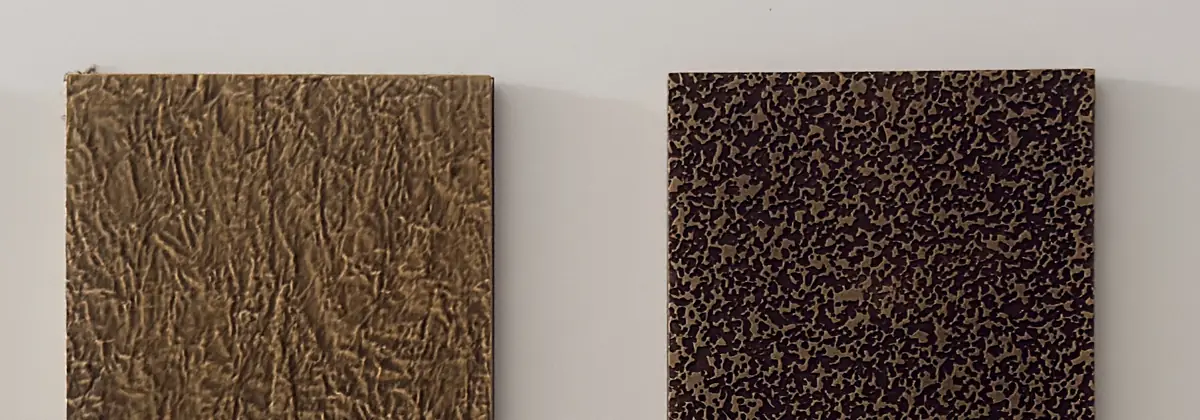
Open the 30-second workshop reel to review product surfaces, sample boards, material handling, and CNC-related production details before choosing a reference.
Open the dedicated video pageFor quotation, pair the video or catalog reference with dimensions, quantity, finish, mounting, and the required text or number list.
Video transcript summary
The AeroSignage workshop reel shows custom architectural sign references, CNC-related product detail, finish samples, material handling, and premium room-number or plaque styles for overseas buyers. The video is intended as visual proof for procurement conversations: it supports catalog review, helps buyers confirm surface texture and design direction, and gives a quick view of factory-backed capability without requiring homepage video loading. For a serious quotation, buyers should still send drawings, dimensions, quantity, finish references, installation context, and delivery market so AeroSignage can match the visual target with a practical production route.
How to use these resources in an RFQ
- Send the catalog page or product-family link that matches the buyer's project type.
- Use the room schedule template when every room, suite, apartment, or villa has different numbers or names.
- Use the sign schedule checklist when the project includes room signs, wayfinding plates, restroom signs, exterior plaques, and public-area labels.
- Ask for dimensions, quantity, material target, finish preference, mounting surface, and installation environment.
- Collect artwork files such as CDR, PDF, AI, SVG, DWG, PNG, JPG, or ZIP when available.
- Use the workshop proof page when the buyer needs evidence of CNC carving, surface finishing, sample boards, or production capability.
- Use the RFQ form when attachments, room lists, address schedules, or formal quotation details are needed.